 Free WordPress MCP
Best WordPress MCP Server Plugins and Configurations
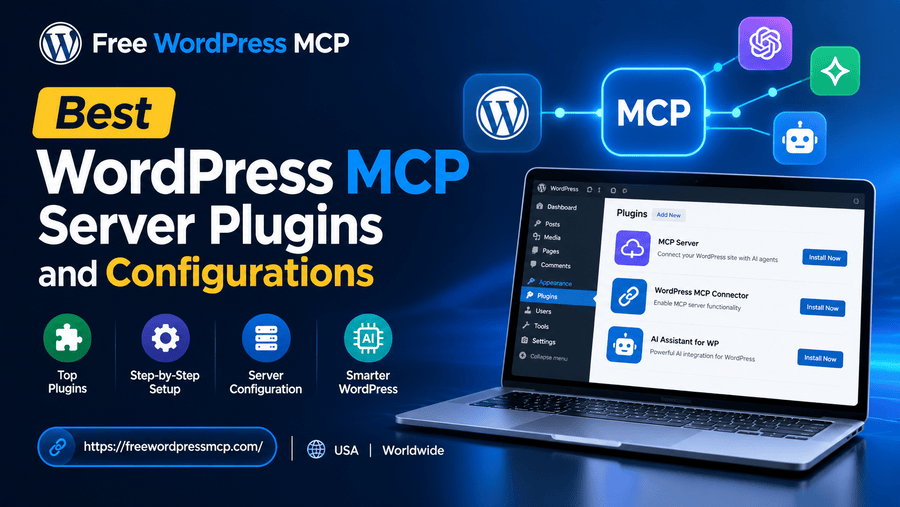
If you've been keeping up with the latest in AI-powered website management, you've probably heard the buzz around the WordPress MCP server. And honestly? The hype is real.
I've been running WordPress sites for years, and nothing has changed my workflow quite like setting up an MCP (Model Context Protocol) server with my WordPress installation. It's like giving Claude AI the keys to your website — in the best possible way.
In this post, I'm breaking down the best WordPress MCP server plugins and configurations I've personally tested and recommend. Whether you're a developer, blogger, or small business owner, there's something here for you.
What Is a WordPress MCP Server, Anyway?
Before we dive into plugins, let me quickly explain what we're talking about.
A WordPress MCP server bridges your WordPress website and AI tools like Claude. Using the Model Context Protocol (MCP), the AI can read, write, and manage your WordPress content—posts, pages, plugins, settings—all through natural-language commands.
Think of it like this: instead of logging into your dashboard to publish a post, you just tell Claude, "Publish my draft post on SEO tips," and it's done.
Pretty powerful stuff.
Over at Free WordPress MCP, we've built our entire platform around making this setup as simple and accessible as possible.
Why WordPress MCP Server Plugins Matter
Not all MCP setups are equal. The plugin you choose (and how you configure it) determines:
- How securely Claude can access your site
- What actions the AI is allowed to perform
- How fast commands are executed
- How compatible the setup is with your existing themes and plugins
Choosing the right plugin is the difference between a smooth AI-powered workflow and a frustrating technical mess.
Best WordPress MCP Server Plugins in 2026
1. Free WordPress MCP Plugin ⭐ (Our Top Pick)
Website: freewordpressmcp.com
If you want the easiest, no-cost way to set up a WordPress MCP server, the Free WordPress MCP plugin is where I'd start — and where most people should start.
What it does:
- Connects your WordPress site to Claude AI via the Model Context Protocol
- Lets you manage posts, pages, media, and settings through AI
- Includes a clean, beginner-friendly setup wizard
- Works out of the box with no coding required
Who it's for: Bloggers, small business owners, freelancers, and developers who want a fast, free setup without the technical headaches.
Configuration tip: After installing, head to the MCP Settings panel and generate your API key. Then paste it into your file. The whole process takes under 5 minutes.
2. WP REST API + Custom MCP Wrapper (For Developers)
If you're a developer who wants full control, you can build a custom MCP server on top of WordPress's built-in REST API.
What it does:
- Exposes all WordPress endpoints (posts, users, taxonomies, etc.) to your MCP client
- Fully customizable — you control exactly what Claude can and can't do
- Can be extended with custom endpoints for WooCommerce, ACF, or any plugin
Who it's for: Developers and agencies who need a tailored solution for client sites.
Configuration tip: Use the register_rest_route() function to create custom MCP-friendly endpoints. Then wrap them in an MCP server using Node.js or Python. This approach gives you maximum flexibility but requires technical knowledge.
3. WPGraphQL + MCP Bridge
WPGraphQL turns your WordPress site into a GraphQL API — and when paired with a custom MCP bridge, it becomes a powerful AI-accessible data layer.
What it does:
- Allows Claude to query and mutate WordPress data using GraphQL
- Excellent for headless WordPress setups
- Supports advanced queries across posts, taxonomies, users, and custom post types
Who it's for: Headless WordPress developers and JAMstack enthusiasts.
Configuration tip: Install WPGraphQL, then set up a lightweight MCP server that translates Claude's tool calls into GraphQL queries. This is more complex but incredibly powerful for data-heavy sites.
4. Uncanny Automator + MCP Triggers
While not a pure MCP plugin, Uncanny Automator can respond to external triggers, including those fired from an MCP server.
What it does:
- Automates complex WordPress workflows triggered by AI commands
- Connects with 150+ plugins, including WooCommerce, LearnDash, and BuddyBoss
- Lets Claude trigger multi-step automations through a single command
Who it's for: Online course creators, eCommerce store owners, and anyone running complex multi-plugin WordPress setups.
Configuration tip: Create a webhook trigger in Uncanny Automator and call it from your MCP server. This lets Claude fire off entire automation sequences — like enrolling a user in a course, sending an email, and updating a CRM — all at once.
5. Advanced Custom Fields (ACF) + MCP Read/Write
ACF is one of the most popular WordPress plugins ever made. With the right MCP configuration, Claude can read and write custom field data directly.
What it does:
- Gives Claude access to custom metadata on posts, pages, and users
- Ideal for sites that use structured content (real estate listings, job boards, directories)
- Works with ACF Pro's REST API support
Who it's for: Developers and site owners who rely heavily on custom fields for content structure.
Configuration tip: Enable ACF's REST API support in settings, then extend your MCP server's allowed endpoints to include /wp/v2/posts/{id} with meta fields. Claude can then read and update custom field values on command.
Best Configurations for Your WordPress MCP Server
Getting the right plugin is only half the battle. Here are the configurations that make the biggest difference:
Read-Only Mode for Content Review
Set up your MCP server in read-only mode first. This lets Claude analyze your content, suggest improvements, and audit your site — without the risk of accidental changes.
Great for: Content audits, SEO reviews, site health checks.
Role-Based Access Control
Don't give Claude admin-level access right away. Instead, create a dedicated WordPress user with a custom role that limits what the AI can do.
For example:
- Can publish posts: ✅
- Can install plugins: ❌
- Can delete users: ❌
This keeps your site safe while still enabling powerful automation.
Localhost MCP Server for Development
Running a local WordPress install? Set up your MCP server on localhost using tools like LocalWP or XAMPP. This is the safest environment to test AI-powered commands before deploying to a live site.
Scheduled Content Publishing
Configure your MCP server to work with Claude on a content calendar. Give Claude a list of draft posts and tell it to publish them on a schedule. Paired with the Free WordPress MCP plugin, this is surprisingly easy to set up.
WooCommerce Product Management
For eCommerce sites, configure your MCP server to access WooCommerce endpoints. Claude can then update product prices, manage inventory, and even create new product listings on command.
My Personal WordPress MCP Server Setup
Since this is a personal blog, I'll share exactly what I'm running:
- Plugin: Free WordPress MCP (from freewordpressmcp.com)
- AI Tool: Claude (via Anthropic)
- Access Level: Editor role (can publish and edit, can't touch settings or plugins)
- Use Cases: Drafting posts, updating meta descriptions, publishing scheduled content
Honestly, it's cut my content management time in half. I spend more time writing and less time clicking around the dashboard.
Final Thoughts
The WordPress MCP server space is growing fast, and 2026 is shaping up to be the year it goes mainstream. Whether you go with a simple free plugin like Free WordPress MCP or build a custom developer setup, the key is just getting started.
My recommendation for most people: start with Free WordPress MCP. It's free, it's fast, and it works. You can always layer in more complex configurations as you get comfortable with AI-powered site management.
Have questions about setting up your own WordPress MCP server? Drop a comment below — I read every one.
About Free WordPress MCP: Respond to external triggers. Free WordPress MCP is your go-to resource for connecting WordPress to Claude AI using the Model Context Protocol — for free. Visit us at freewordpressmcp.com to get started today.